Branching
Branching is a super important part of git and good practices can help you navigate a code bases active branches very quickly. Below you'll find how we like to create branches and commit to our repositories.
Using Linear
We use linear for our project management and issue tracking, which comes with some great integrations into Github.
Creating a branch from a ticket.
You can copy the git branch name for a specific ticket by pressing CMD + Shift + .
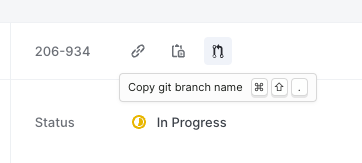
This will give you something like
karl/206-934-home-intro-animation
which is:
<name>/206-<ticket_number>-<ticket_title>
When used correctly and a pull request is created on github, the Github Linear integration will comment and provide us with a link to the ticket:
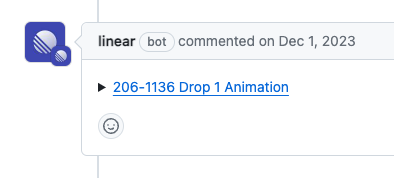
You can also only use the ticket number in your branch name or PR title, it will link to the correct Linear ticket as well, e.g 206-1136